Server Add-ons
The Add-ons tab shows the extensions installed on your server and any additional add-ons available to enable. Add-ons handle infrastructure concerns like autoscaling, TLS certificate management, traffic routing, and monitoring.
note
The Add-ons tab is only available on servers provisioned using the Bring Your Own Cloud path.
Accessing Server Add-ons
From the Servers section, select a BYOC server and click the Add-ons tab.
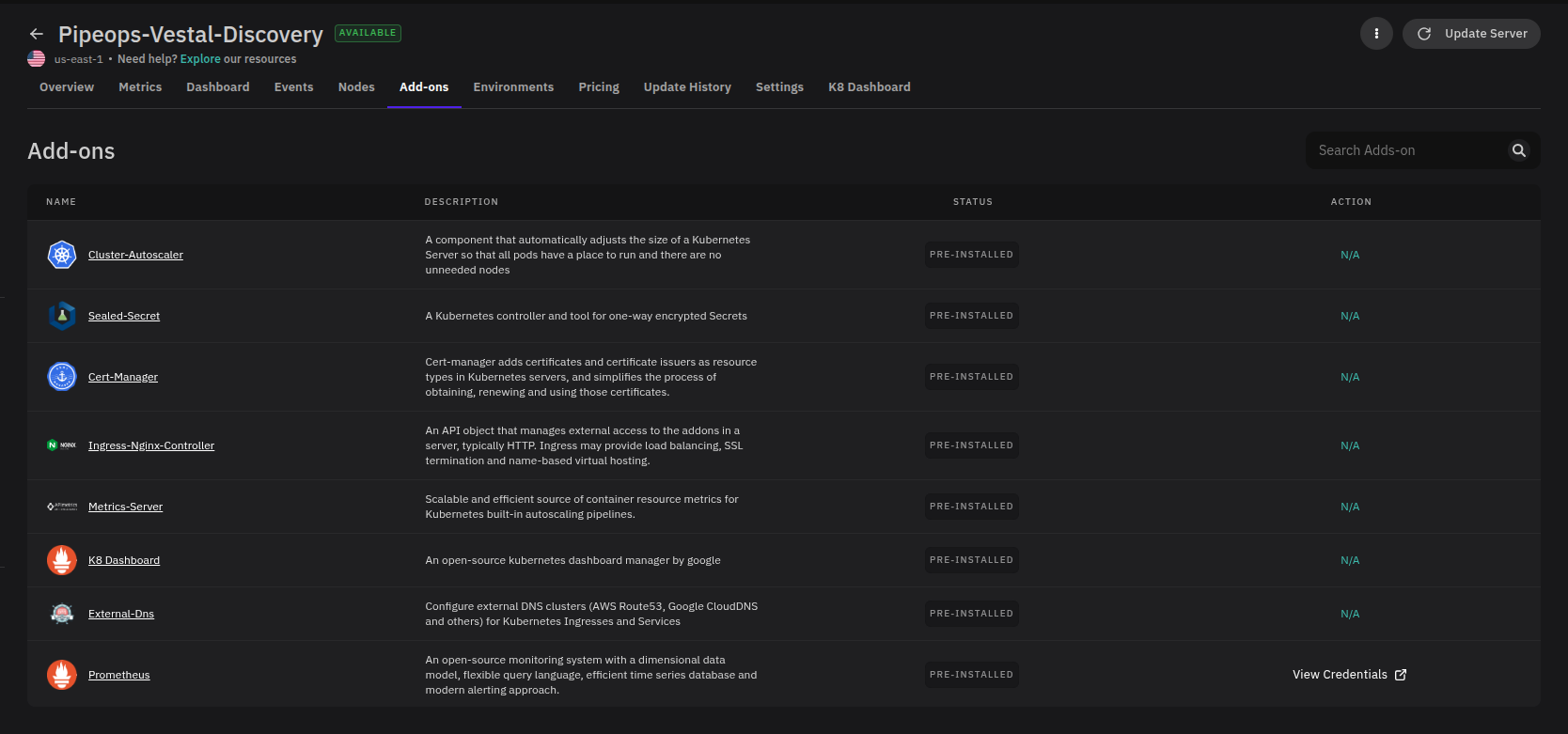
Pre-installed Add-ons
The following add-ons are installed automatically when you create a server:
| Add-on | Description |
|---|---|
| Cluster Autoscaler | Automatically adds nodes to the cluster when workloads need more capacity and removes them when idle, keeping infrastructure costs efficient. |
| Sealed Secrets | Encrypts Kubernetes secrets so they can be safely stored in version control. Secrets are only decrypted inside the cluster. |
| Certificate Manager | Automatically provisions and renews TLS certificates and stores them as Kubernetes secrets for use by your workloads. |
| Ingress-Nginx Controller | Manages external traffic routing into the cluster, including SSL termination and load balancing. |
| Metrics Server | Collects resource usage data (CPU and memory) from containers and nodes, providing the data Kubernetes needs for built-in autoscaling. |
| Kubernetes Dashboard | A web-based interface for viewing and managing cluster resources, workloads, and configurations. |
| External DNS | Automatically manages DNS records with external providers such as Amazon Route 53, Azure DNS, or Google Cloud DNS based on your cluster's services. |
| Prometheus | Collects and stores cluster metrics for monitoring and alerting. See Accessing Prometheus Credentials below. |
Accessing Prometheus Credentials
Prometheus requires authentication to access its monitoring interface. To retrieve the credentials for your server's Prometheus instance:
- Locate Prometheus in the add-ons list.
- Click View Credentials in the Action column.
- A modal will appear displaying the username and password needed to log in to the Prometheus monitoring system.
Managing Add-ons
For steps on deploying, configuring, or removing add-ons, see the Add-ons section.