PR Previews
PR Previews lets PipeOps automatically spin up a temporary deployment for each pull request opened against your configured base branch. Each preview is isolated, shareable, and automatically cleaned up when the PR is closed or merged — giving your team a live environment to review changes before they reach production.
Enabling PR Previews
Navigate to your project and click the PR Previews tab. Use the toggle at the top of the page to enable the feature.
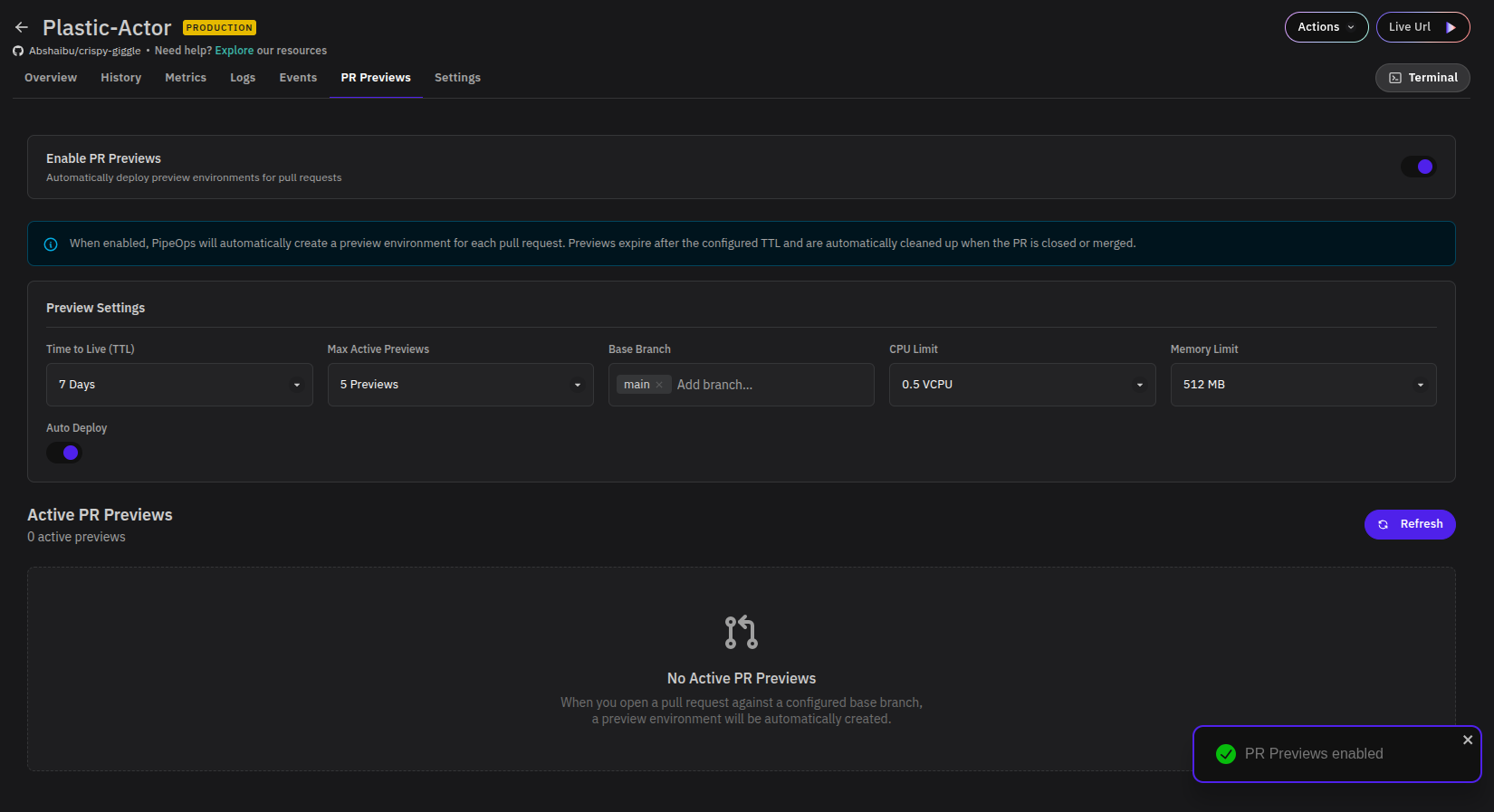
Once enabled, a PR Previews enabled confirmation appears in the bottom-right corner and the Preview Settings panel becomes active.
When enabled, PipeOps will automatically create a preview environment for each pull request. Previews expire after the configured TTL and are automatically cleaned up when the PR is closed or merged.
Preview Settings
Configure how preview environments are created and managed using the settings below.
| Setting | Description |
|---|---|
| Time to Live (TTL) | How long a preview environment remains active before it is automatically destroyed (e.g. 7 Days). |
| Max Active Previews | The maximum number of preview environments that can run simultaneously (e.g. 5 Previews). Once the limit is reached, new previews will not be created until an existing one expires or is cleaned up. |
| Base Branch | The branch(es) that trigger a preview deployment when a pull request is opened against them (e.g. main). You can add multiple base branches. |
| CPU Limit | The maximum CPU allocated to each preview environment (e.g. 0.5 VCPU). |
| Memory Limit | The maximum memory allocated to each preview environment (e.g. 512 MB). |
| Auto Deploy | When enabled, a preview environment is created automatically as soon as a pull request is opened. Toggle this off if you prefer to trigger previews manually. |
Active PR Previews
The Active PR Previews section lists all currently running preview environments. Each entry shows the associated pull request and its preview URL.
When no pull requests are open against a configured base branch, this section will show No Active PR Previews. Click Refresh to check for newly created previews.
Once a pull request is opened against a configured base branch, PipeOps will automatically create and deploy a preview environment for it. The preview will remain active until the TTL expires or the PR is closed or merged, whichever comes first.